


Moving Backgrounds 4k - WALLPS
4.6592.00 Reviews
App Specs
- Version
- 6.2.1
- Updated On
- License
- Free
- Downloads
- 10,000,000+
- Developer
- Prometheus Interactive LLC
- Categories
- Personalization
- Platform
- Android
Screenshots
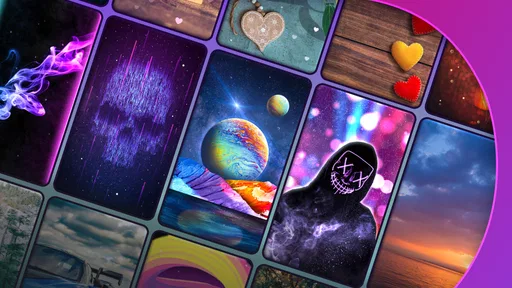
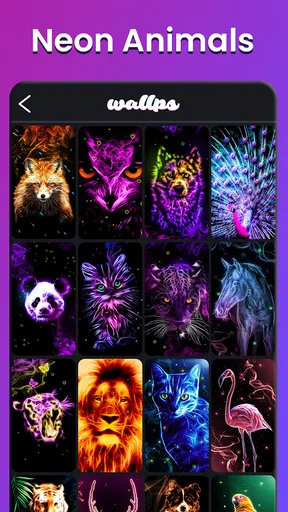
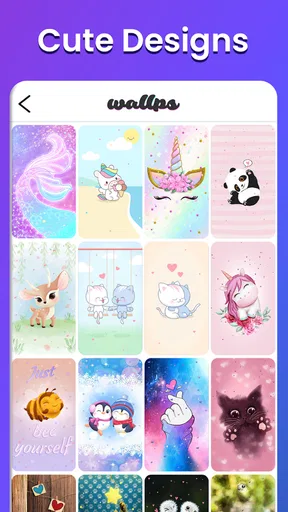
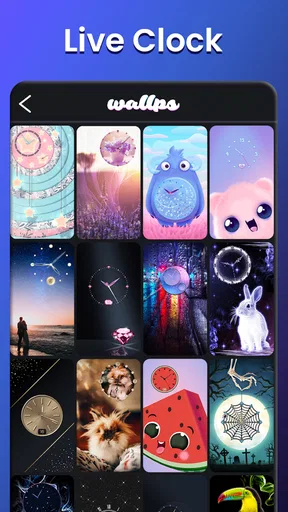
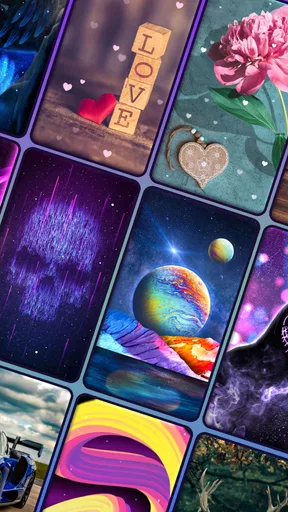
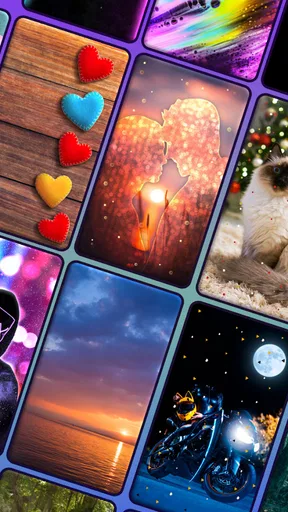
 Analysis by AppCompare
I judge a wallpaper app less by how dramatic its preview looks than by whether it gives me a screen I can live with every day. A moving image can make a phone feel more personal, but it can also compete with icons, distract during quick checks, or become a battery concern. Moving Backgrounds 4k - WALLPS is aimed at people who want motion rather than a static picture, and I would approach it as a source of visual choices to try, not a promise that every design will suit every phone.
What trust can—and cannot—mean here
Wallpaper apps sit close to the most frequently viewed part of a device, so I think about trust in practical terms: what choices are visible, what settings I can change, and whether I am comfortable with the app’s own disclosures. I would not treat an attractive image gallery as evidence of anything about data handling. Before installing or using any personalization app, I make a habit of checking the permission prompts and the privacy information available in the app store, then deciding whether those terms fit my comfort level.
The app is a free personalization download from Prometheus Interactive LLC, with optional in-app purchases ranging from $0.99 to $99.99 per item. That makes it worth distinguishing between trying the basic experience and choosing to spend money: I would look at the actual purchase screen and its terms before confirming anything. A free download does not mean every extra is free, and I prefer to make that decision deliberately rather than assuming a particular feature is included.
Choices to make before setting a wallpaper
For a moving background, the most useful control is often not a complicated effect but the ability to choose a design that stays legible behind the icons and widgets I already use. I would preview a candidate with my normal home-screen layout in mind. A bright focal point behind a row of app labels can make the screen harder to scan, while a darker or less busy area may work better even if it looks less impressive on its own.
If the app offers adjustments such as animation speed or image brightness, I would change one setting at a time and check the result on the actual screen rather than judging only by a preview. Slower motion can be calmer when the phone is sitting on a desk, and a less bright image may be easier to look at in a dim room. These are practical ways to assess the options described in the original experience, not a reason to assume every wallpaper has identical controls.
When the screen becomes a data-sensitive space
A wallpaper is visible in ordinary moments: when I check a notification in public, hand my phone to someone to show a photo, or leave the device on a table. That makes the background part of how the phone presents itself. I would avoid choosing an image that makes notifications difficult to read or draws attention when I would rather keep the screen understated. If I use the phone for work, travel, or shared family tasks, a restrained design can be more useful than a highly animated one.
I also separate the decision to personalize from the decision to grant access. If a permission prompt appears, I consider what the app is asking for and whether it makes sense for the action I am trying to take. I do not grant permissions simply because an app has a wallpaper library, and I would revisit the device’s permission controls if I later change my mind. This is a sensible check for any app, especially one I may open only occasionally.
Worth Reading Before You Choose

EA SPORTS FC Mobile 26 Is a Bigger Football Game, but It Takes Time

Flipboard Shows What News Apps Must Do Beyond the Feed

Switching to Android Auto Means Rethinking Your Driving Routine

Google Calendar Makes a Crowded Week Easier to Manage

Ludo King Makes the Most of the Minutes Between Plans

Baby Panda World Brings Quick Play to Modern Phones, but Its Game Library Feels Busy
Who is likely to enjoy WALLPS
WALLPS makes the most sense for someone who likes changing a phone’s look and is willing to spend a few minutes matching a background to the way they use the home screen. It may suit a person who gets bored with a fixed image, enjoys subtle movement, or wants to coordinate a screen with a current mood without changing icons or rearranging the whole device.
It is less compelling if you want a simple, static wallpaper you can set once and forget, or if you value a completely quiet home screen. A phone with a crowded grid of icons may also leave little room for a detailed moving image to show well. In those cases, the built-in wallpaper picker or a straightforward image gallery can be a better fit: fewer choices and less motion may produce a cleaner result.
First Impressions and Interface
Right off the bat, Moving Backgrounds 4k - WALLPS greets you with a sleek and user-friendly interface. Navigating through the app is a breeze, thanks to its intuitive layout. The app doesn't bombard you with ads, which is a refreshing change of pace compared to others I've tried. It's like they actually want you to enjoy using it—imagine that!
The home screen showcases a selection of featured wallpapers, and let me tell you, the quality is top-notch. We're talking ultra high-definition, the kind that makes you do a double-take because it looks so real. Whether you're into serene landscapes, vibrant cityscapes, or abstract art, there’s something for everyone.
Features That Stand Out
Now, let's dive into the features that make this app a standout in the wallpaper world. First up, the customization options. You can tweak the settings to your liking, adjusting the speed of the animations or the brightness of the images. This level of personalization really lets you make your home screen feel like your own little masterpiece.
Another feature I love is the daily wallpaper update. Every day, you get a new selection of wallpapers, keeping things fresh and exciting. I mean, who doesn't like a little surprise every now and then? Plus, the app allows you to save your favorite wallpapers for easy access later. It's like having a personal gallery right at your fingertips.
Making the motion work in daily use
A useful way to judge a live background is to test it during the small routines that repeat all day. I would set one, then check whether app names remain readable, whether a widget’s text still stands out, and whether the motion feels pleasant after several unlocks rather than only in the first few seconds. This is where an impressive preview can lose to a quieter design: the wallpaper has to share the screen with the things I actually need to tap.
For example, imagine checking a shopping list while waiting in line, then switching to a message and returning to the home screen. A high-contrast animation might look striking, but if it makes the list widget harder to read, I would choose a calmer option or lower the brightness. The best background is not necessarily the most elaborate one; it is the one that adds character without slowing down a familiar task.
Saving favorites can also make experimenting less disruptive. Rather than replacing a design every time I want to compare two looks, I would keep a small shortlist and revisit it when I have time to assess each against my icons and widgets. That turns the app into a personal rotation rather than a stream of impulse changes. If I prefer consistency, I can simply keep one favorite and ignore the urge to switch whenever a new selection appears.
How it compares with simpler alternatives
The main trade-off is motion. A static wallpaper from the phone’s built-in picker is usually the more predictable choice: it is easy to set, visually quiet, and does not ask me to decide how animation should behave. A live-wallpaper app such as this one is more appealing when movement and a changing look are part of the point. Neither approach is universally better; the right choice depends on whether the extra visual activity improves the phone for you or gets in the way.
Compared with choosing a photo from a personal gallery, a dedicated wallpaper app can make browsing and trying themed backgrounds more convenient. The downside is that a curated selection may not feel as personal as a picture I took myself, and a moving image needs more scrutiny for readability than a simple photograph. I would use WALLPS when I want to explore animated options, then return to a personal photo or a built-in background when I want something familiar and low-key.
The app is marked for Everyone, and its current version is 6.2.1, with Android 6.0 listed as the minimum operating system. It has a 4.6 average from around 66,000 ratings and over 5 million installs. Those figures suggest that many people have tried it, but they cannot tell me whether a particular animation will suit my device, taste, or tolerance for movement. I would still make that call by testing a design in ordinary use.
Performance and Battery Usage
One of my main concerns with live wallpaper apps is how they might affect my phone's performance and battery life. Thankfully, Moving Backgrounds 4k - WALLPS seems to have this figured out. The app is optimized to run smoothly without draining your battery like a thirsty camel in the desert. I’ve been using it for a week now, and I haven’t noticed any significant battery drop, which is a huge win in my book.
It also doesn't hog your phone’s resources. The animations are fluid, and the app runs seamlessly in the background without any hiccups. It's almost like it's not even there, just quietly doing its job to make your screen look fabulous.
Checking the practical trade-offs
Battery use is one of those questions I would answer on my own phone rather than by relying on a general impression. The effect of an animated background can depend on how often I wake the screen, how long I leave it visible, and the device itself. If I am traveling, away from a charger, or already trying to stretch a low battery, I would switch to a static image and compare how the phone feels over my usual day. That simple test is more useful than assuming every live wallpaper has the same impact.
I would also check whether motion is comfortable for me. If an animation feels distracting during work or makes the home screen seem busy, reducing its pace—where that adjustment is available—or selecting a less active image may help. If it still competes with my attention, I would remove it rather than trying to make myself like it. Personalization should make routine phone use nicer, not add a small annoyance to every unlock.
One practical question is whether the app is worth paying for. Since the download is free but in-app purchases are available, I would first decide whether the free experience gives me enough options, then inspect any paid item’s description and price before buying. I would not treat a purchase as necessary just to try the app, and I would avoid confirming one if the screen does not clearly match what I intend to buy. That cautious approach keeps the choice in my hands.
Why You Should Download It
If you're still on the fence about giving Moving Backgrounds 4k - WALLPS a shot, let me give you a nudge. The app is more than just a collection of pretty pictures; it's a way to express yourself and keep your phone looking fresh and exciting. With its extensive library of high-quality wallpapers and user-friendly features, it’s like having a personal screen stylist in your pocket.
Downloading it is a breeze, and the app is available for both Android and iOS, so it doesn't matter what side of the smartphone fence you're on. Just go to your app store, hit download, and get ready to be wowed by the transformation of your phone screen.
A measured recommendation
The app’s 4.6 average rating and more than 5 million installs make it a familiar option in the personalization space, but popularity is only a starting point. I would recommend trying it if animated backgrounds are genuinely your preference and you are happy to spend a little time checking how a design behaves with your own layout. The free download makes that initial decision straightforward, while the purchase range is a reason to read each offer carefully before spending.
I would skip it if I want a static image, need the simplest possible setup, or find moving visuals tiring. I would also choose another option if my priority is a specific personal photo rather than browsing a library of animated designs. In those situations, the phone’s own wallpaper settings can be the more direct solution, without adding an app just to get a quiet background.
My practical recommendation is to start with one understated design, check readability and battery behavior through a normal day, and only then try more elaborate motion. That gives the wallpaper a fair test without letting a flashy first impression decide for me. If it makes the phone feel more like mine while keeping everyday tasks easy, it has earned its place; if not, switching back to a still image is no failure.
In conclusion, Moving Backgrounds 4k - WALLPS is a fantastic choice for anyone looking to give their device a little extra flair. With its beautiful wallpapers, easy customization, and efficient performance, it's definitely worth checking out. So, why not give it a try and see your screen come to life in ways you never imagined?
Pros
- Vibrant 4K images enhance device aesthetics.
- User-friendly interface with intuitive navigation.
- Regular updates with new backgrounds added.
- Low battery consumption compared to similar apps.
- Supports a wide range of Android devices.
Cons
- Requires internet for initial background downloads.
- Ads can be intrusive without premium version.
- Limited customization options for animations.
- Some backgrounds may not fit all screen sizes.
- Free version has restricted access to features.
FAQs for Moving Backgrounds 4k - WALLPS
What features does Moving Backgrounds 4k - WALLPS offer?
Moving Backgrounds 4k - WALLPS provides a vast library of dynamic live wallpapers in 4K resolution. Users can customize their home screens with a variety of animated backgrounds, ensuring a personalized aesthetic experience. The app also supports daily updates, adding fresh content to keep your display engaging.
Is Moving Backgrounds 4k - WALLPS free to use?
While Moving Backgrounds 4k - WALLPS offers a free version, it may include ads and limited features. To access the full range of wallpapers and unlock premium content, users can opt for a subscription model, which offers an ad-free experience and exclusive designs.
How does Moving Backgrounds 4k - WALLPS impact device performance?
Moving Backgrounds 4k - WALLPS is optimized to minimize battery and performance impact. However, as live wallpapers can be resource-intensive, some users might notice a slight decrease in battery life or performance, especially on older devices. It's recommended to monitor your device’s performance after installation.
Can I use my own images as live wallpapers in Moving Backgrounds 4k - WALLPS?
Yes, Moving Backgrounds 4k - WALLPS allows users to import their own images to create custom live wallpapers. This feature offers flexibility and personalization, enabling users to animate their favorite photos or designs with various effects available within the app.
Is Moving Backgrounds 4k - WALLPS compatible with all devices?
Moving Backgrounds 4k - WALLPS supports most Android and iOS devices, but compatibility might vary based on the device's specifications and operating system version. It's advisable to check the app's requirements on the download page to ensure smooth functionality on your device.


